Free VTT Token Maker for Roll20, Foundry & Other VTTs
RPG Token Maker is a free online token maker that turns your art, or any of 40 free fantasy portraits, into transparent tokens for Roll20, Foundry VTT, Owlbear Rodeo or any VTT. No sign-up, and your images stay in your browser.
What RPG Token Maker can do
One token creator for the whole table. Every feature opens in the editor above, so you can try it on the sample before you upload anything.
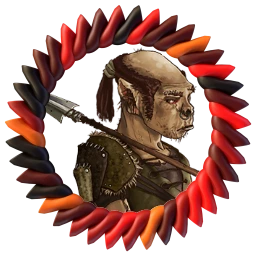
Free art library for NPC and monster tokens
No art for this NPC or monster? Pick from 40 free fantasy portraits from Battle for Wesnoth, from heroes and townsfolk to goblins, orcs and undead. Set how many you need and they land in your token list, ready to frame and rename.
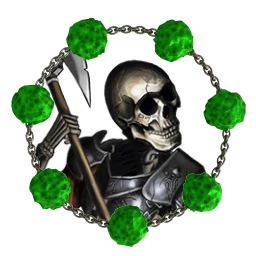
35 token borders and six one-click styles
Party or enemies at a glance? Start from Warrior, Mage, Rogue, Cleric, Undead or Monster, or choose any of the 35 borders, so heroes share one frame and the horde another.
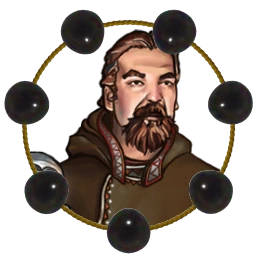
Background removal for character art
Busy background behind the character? Paint over the backdrop to erase it, so the figure stands out on a battle map instead of blending into the painted room behind it.
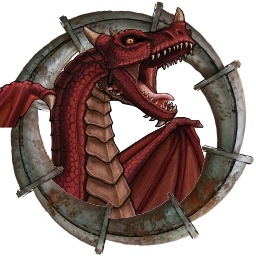
Pop-out tokens that break the frame
Want a sword or a wing over the border? Mark the parts that should sit in front of the frame, such as a raised blade, a wing or a tall hat, instead of having them clipped by the ring. Works best after removing the background.
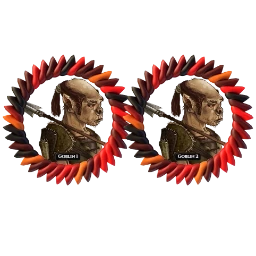
Batch tokens with automatic numbering
Six goblins, not one? Add a portrait with a count and each copy is numbered for you, Goblin 1 to Goblin 6. Use this look for all keeps the encounter matched, and one ZIP downloads every token.
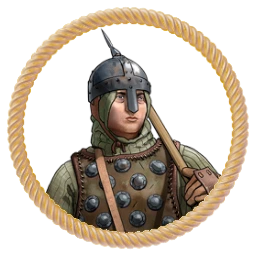
Use your own PNG token border
Already have a frame you like? Upload a transparent PNG border. The opening is detected automatically, and the frame keeps its original colors and proportions.
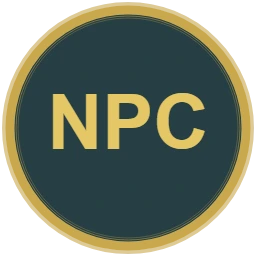
Text tokens when you have no art yet
Only a name so far? Make a token from a number, initials or a short name, and swap in art later. Text tokens use the same shapes, borders and ZIP download as image tokens.
Art: Battle for Wesnoth (GPL v2+ or CC BY-SA 4.0). Credits & licenses
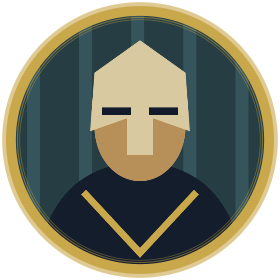
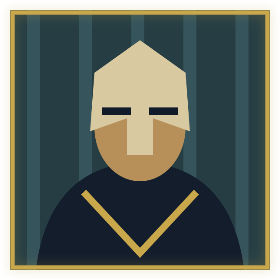
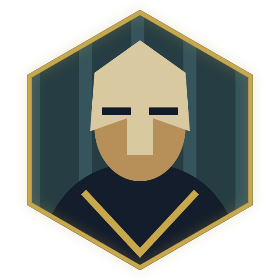
Circle, square and hex tokens from one portrait
The same art, cropped three ways. Pick the shape that matches your map.
How to turn a picture into a VTT token
Add art
Upload, drop or paste PNG, JPG or WebP, or pick portraits from the art library. Add several at once for a party or an encounter.
Frame and style each token
Drag and zoom to frame the face, choose a style or border, and clear the background if it gets in the way.
Download for your VTT
Choose the Roll20 or Foundry size, then download one token or a ZIP of your whole list.
Token sizes for Roll20 & Foundry
Image resolutions for each creature size. Set the occupied grid squares in your VTT separately.
| Size | Grid | Roll20 | Foundry | Examples |
|---|---|---|---|---|
| Tiny | 1/2 | 280px | 400px | Pixie, Sprite, Rat |
| Small | 1x1 | 280px | 400px | Goblin, Halfling |
| Medium | 1x1 | 280px | 400px | Human, Elf, Orc |
| Large | 2x2 | 560px | 800px | Ogre, Dire Wolf |
| Huge | 3x3 | 840px | 1200px | Giant, Young Dragon |
| Gargantuan | 4x4+ | 1120px | 1600px | Ancient Dragon, Kraken |
Guides for your game and VTT
- D&D 5e token maker
Creature size presets from Tiny to Gargantuan, for PCs, NPCs and monsters.
- Export tokens for Roll20
Sizes, upload steps and fixing blurry tokens in Roll20.
- Export tokens for Foundry VTT
PNG or WebP, image picker steps and Token Dimensions.
- Creature token size guide
Grid squares and pixels for every 5e creature size.
Tips for tokens that read on the battle map
A Medium token in Roll20 is 70 pixels wide at default zoom. These habits keep it readable at that size.
Crop to the face
Fill the frame with the head and shoulders, not the whole body. Players recognize faces faster than outfits.
Give each side its own frame
Use one style for the party and another for monsters. Players read the border before the art.
Number your minions
Names like Goblin 1 and Goblin 2 make calls quick at the table: “I attack goblin three.”
Match the shape to the grid
Hex tokens sit flush on hex maps, and square tokens fill a grid cell. Circles work almost everywhere.
RPG Token Maker FAQ
Is RPG Token Maker free?
Yes. Every style, border, shape and export size is free to use, with no account and no sign-up.
Can I use the art library portraits in my game?
Yes. The portraits come from Battle for Wesnoth and are free to use in your games. License details are listed in the library, so check them before you redistribute or sell anything made from them.
Can I make a token without any artwork?
Yes. Pick a portrait from the art library, or choose Add text token and enter 1 to 12 characters, such as a number or initials. Text tokens use the same shapes, borders and downloads as image tokens.
How does background removal work?
Choose Remove background on a token and paint over the parts you want gone. It is done by hand, so you decide exactly what stays. Pop-out works the same way for parts that should sit in front of the border.
What size should I export for Roll20?
For 1x1 creatures in Roll20, use 280px. Use 560px for 2x2, 840px for 3x3 and 1120px for 4x4 and larger.
Can I use these tokens in Foundry VTT?
Yes. Export at 400px, then select the file in Foundry’s image picker. Set Token Dimensions separately; the image does not configure the Actor.
Can I make many tokens without redoing the settings?
Yes. Each token keeps its own framing, border, size and caption. Use this look for all copies the current style to the whole list, and Download all as ZIP exports every token at once with unique file names.
Can I use my own transparent PNG border?
Yes. Upload it under Use your own PNG border. The opening is detected automatically, and the frame keeps its original colors and proportions. Custom files are not saved between visits.
Can it generate token art with AI?
No. It does not generate art. Use your own image, or pick a portrait from the free art library, which is hand-drawn art from the game Battle for Wesnoth.
Does it work with Owlbear Rodeo, Fantasy Grounds or other VTTs?
Yes, if your VTT lets you upload an image as a token. Pick the HD (1024px) size, export a PNG, and set the token’s grid footprint inside your VTT.
Your next encounter is a few minutes away.